

The new Microsoft Edge on Surface Duo showcases cross-platform convenience
Over the last year, the Microsoft Edge team has been working to deliver an entirely new experience for people browsing the web, challenging the status quo, to expect more from a browser. We launched the new Microsoft Edge in January with a commitment to deliver more privacy, performance and productivity to help people achieve more.
We’re ecstatic about the availability of the new Microsoft Surface Duo, and wanted to highlight just how we are innovating our browser to give you a tailored experience on these beautiful dual-screen devices. Here’s the scoop on how to get the most out of the new Microsoft Edge on Surface Duo to stay organized, save time and stay in your creative flow.
Stay organized. Dual screens enhance web productivity
We’ve designed Microsoft Edge on Duo so you always have access to the saved content that matters most to you, while still browsing the web. You can span a website to take advantage of both screens. If you open the “…” menu while spanned, your favorites, history and Collections will take up one screen so that you can easily pick up where you left off and add new content that you find along the way.
For those who like to bask in the visuals, you can also rotate your Duo vertically to maximize your real estate.
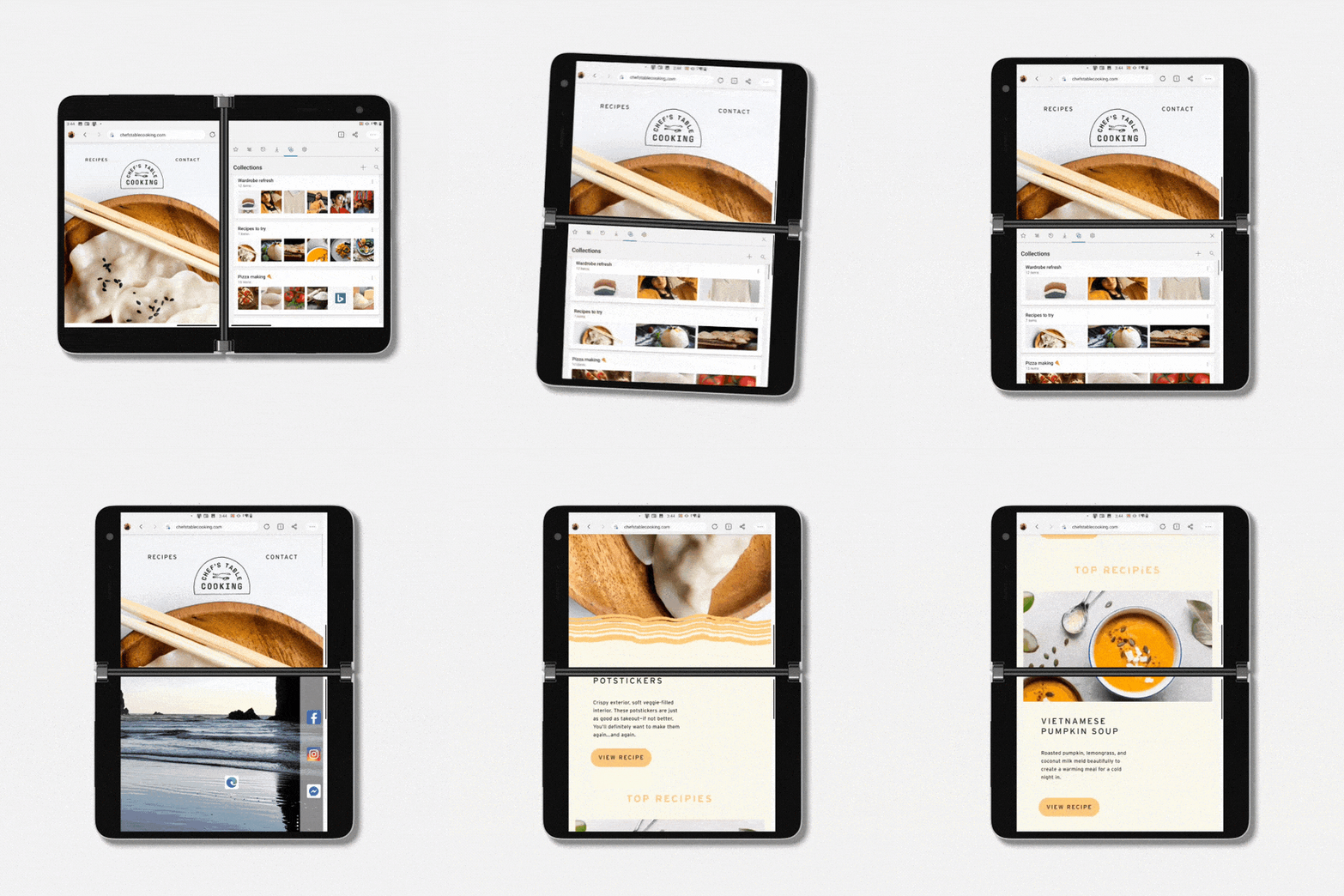
With the power of two screens, Surface Duo is also ideal for opening two instances of Microsoft Edge for on-the-go research, comparison shopping and planning. You can easily reference sites side-by-side like when you are writing your next paper, researching recipes, planning a furniture purchase, or finding hiking spots for your next camping trip.
Save time. Easily drag and drop webpage content into other apps like To Do, Outlook and OneNote
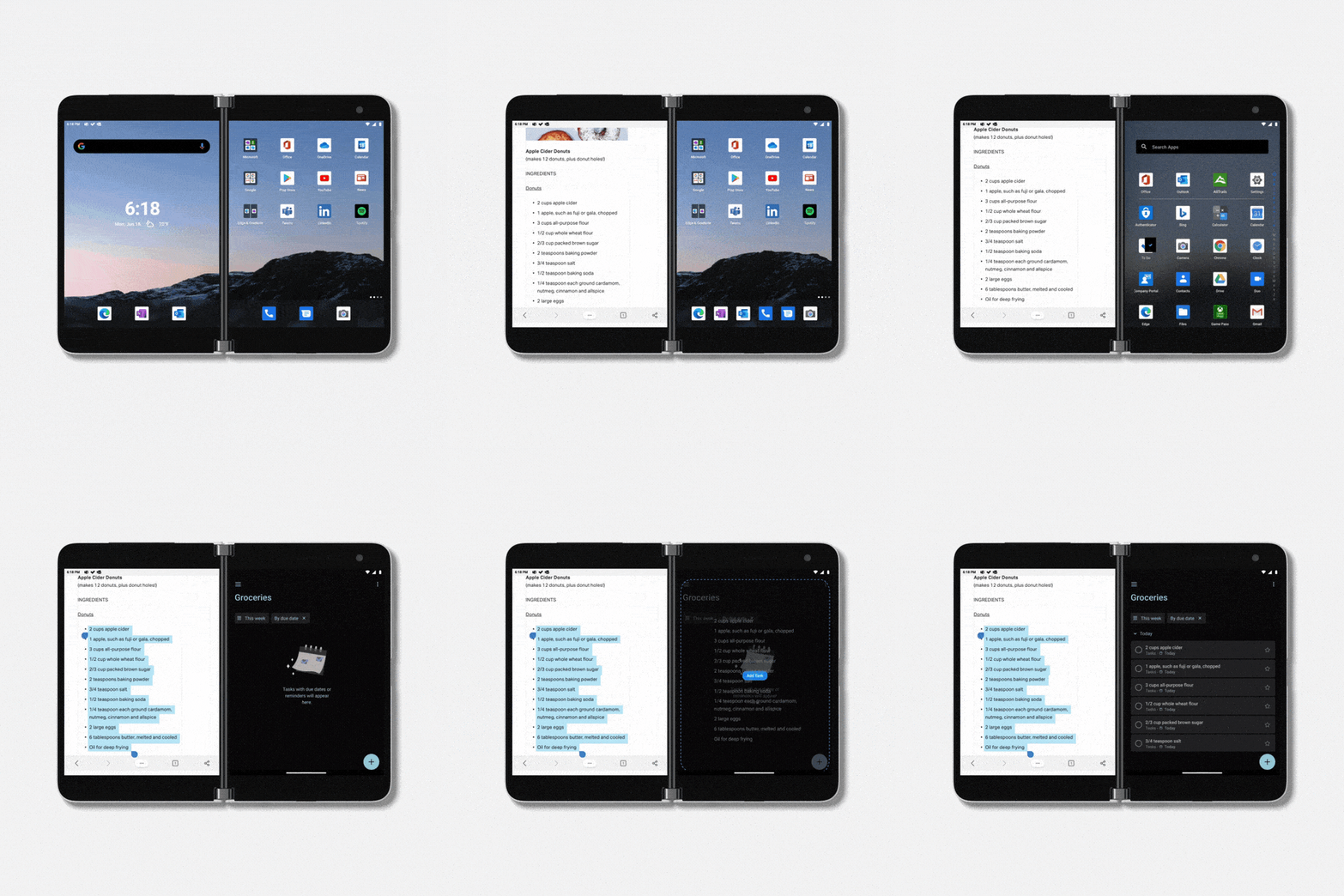
When you are researching recipes for meal planning and grocery shopping, Microsoft Edge on Surface Duo makes things easier than ever. Just open a webpage on one screen, and To Do or OneNote on the other. You can select text on a webpage, like an ingredients list or recipe steps, and drag it to the To Do app. This text will preserve line spaces so each ingredient will be on a new line in your list, saving you precious time and keeping you in the flow.
Stay in your creative flow. Microsoft Edge works great side-by-side with other apps like OneNote
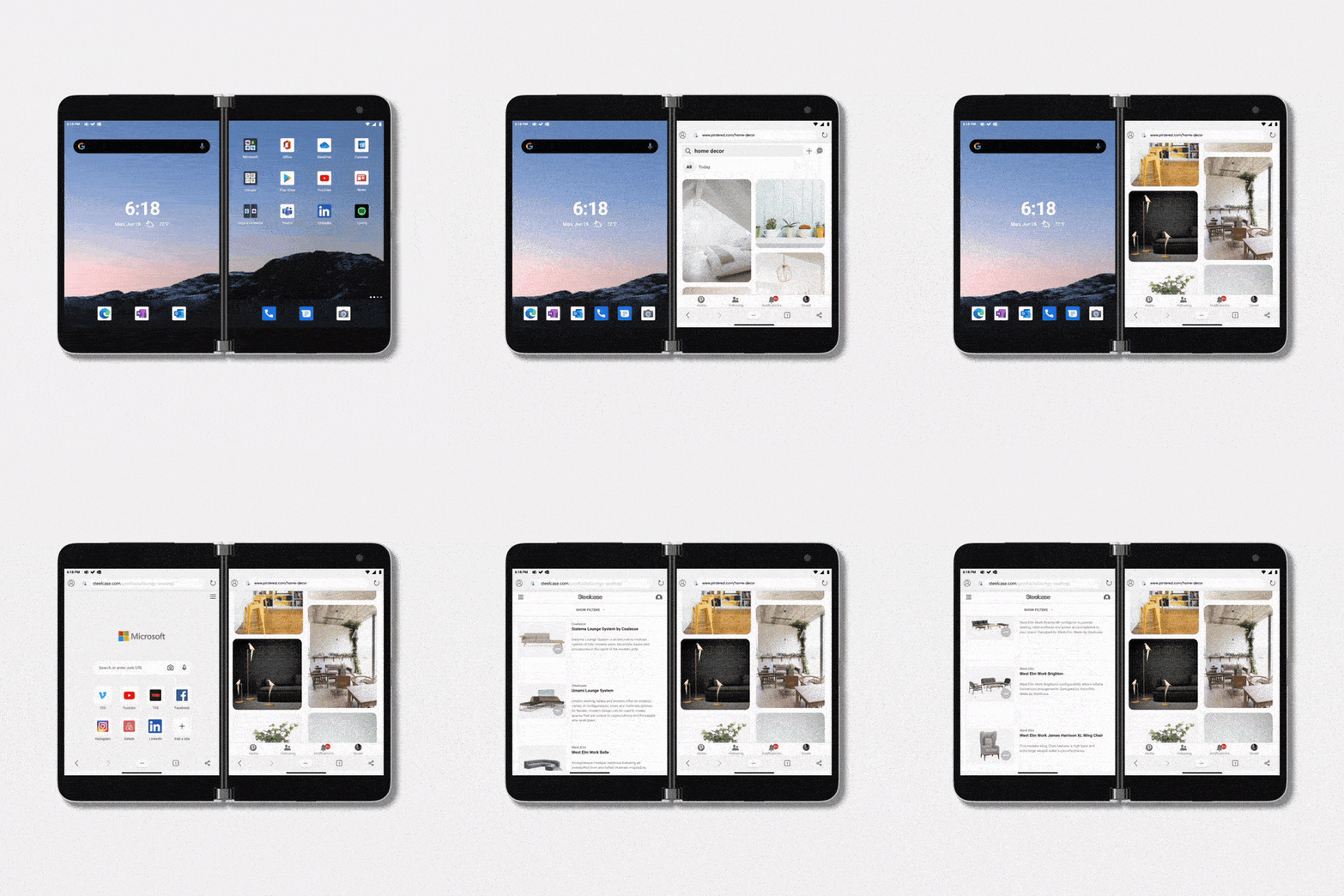
As we think about building new technologies, we seek to better understand how those with diverse needs, like creative professionals, work best in today’s mobile-centric environment. As we developed the new Surface Duo and Microsoft Edge, we explored several ideas to help illustrators, designers, visual artists, students and teachers work elegantly across both hardware and software. With Surface Duo, we are now able to bring these new versatile experiences to life through the dual-screen form factor.
Now you can easily open up Microsoft Edge to research works by your favorite artists, view how-to articles or watch videos while working side-by-side in other apps like OneNote on the other screen. You have the power to keep both an app and webpage open simultaneously in the palms of your hands to find inspiration across the web to unlock your creativity, wherever you are. We hope this helps you stay inspired while creating your next masterpiece.
This is only the beginning – a start of something entirely new from Microsoft. We would love for you to come on this journey with us as we continue to bring new experiences to Surface Duo, and look forward to your feedback along the way.