

Watch Live and On-Demand Entertainment from Sling TV on Windows 10
What is Sling TV?
Sling TV is an app for everyone who loves live and on-demand television, but hates the out-of-date cable model. With Sling TV there are no long-term contracts, no equipment rental fees, no hidden fees and no strong arm tactics. Sling TV offers today’s top entertainment on televisions, tablets, phones, computers, gaming consoles and other streaming devices at a simple and affordable price starting at $20 per month.
With Sling TV, you can watch live and on-demand sports, lifestyle, family, news and information programming from top networks, including ESPN, Disney, AMC, Comedy Central, HGTV, TNT, TBS, Fox and NBC (select markets only), A&E, VICELAND and CNN.
Sling TV customers can also customize their service by adding á la carte-like “Extras,” genre-based channel packages including Sports, Kids, Lifestyle, Comedy, Hollywood and more, starting $5 per month.
New to Sling TV? Try it for seven days free! Restrictions apply, see sling.com for details.
Sling TV on Windows 10
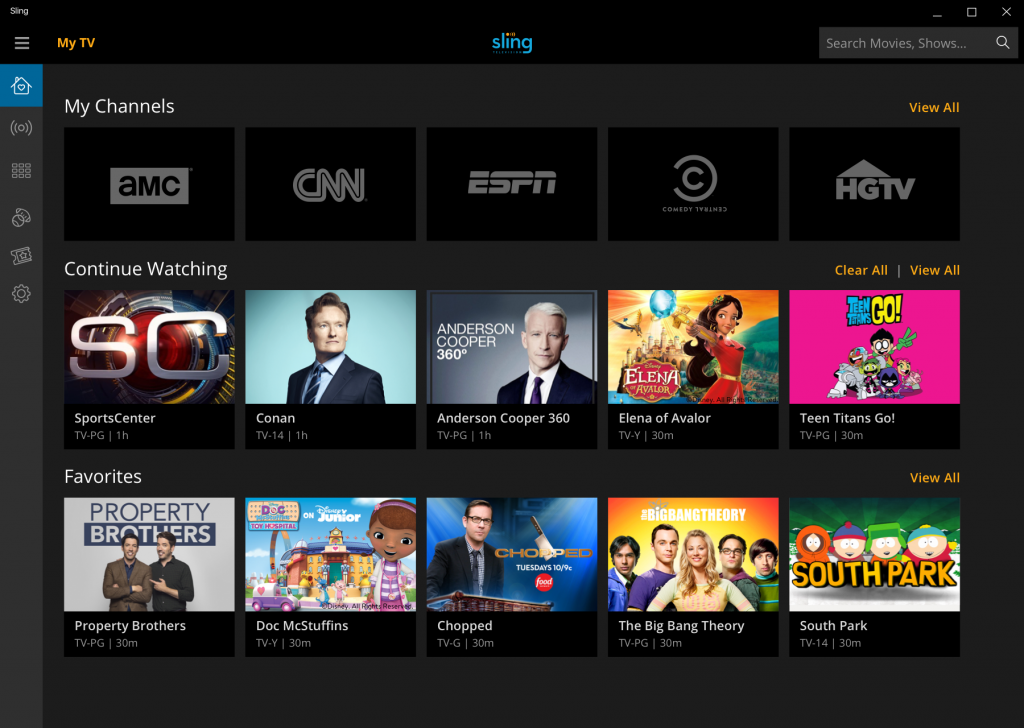
In addition to experiencing our new user interface, Windows 10 users will see other familiar, unique Windows 10 features in the Sling TV app:
- Live Tiles – Love “Game of Thrones” or “The Walking Dead”? You can easily see content updates from your selected “Favorites” and the “Continue Watching” ribbon when you pin Sling TV to your start menu.
- Cortana Voice Integration* – Quickly search for specific shows or channels by voice, using Cortana, Microsoft’s personal digital assistant. Try saying, “Watch ESPN on Sling,” and Cortana will pull up your content in the Sling TV app.
- Vertical Menu – Windows 10 users will feel right at home with the Sling TV vertical main menu.
- Responsive User Interface – Sling TV on Windows 10 was built using Microsoft’s Universal Windows Platform (UWP), so that your screen easily adapts to different sizes as you’re viewing content.
- Touch Compatibility – Sling TV works on both touch and non-touch Windows 10 devices.
Current Sling TV customers can download the Sling TV app directly from the Windows Store, and new customers can sign up for a Sling TV account within the app when they download the Sling TV app for free on a Windows 10 PC or tablet.
As always, we want to hear your feedback about Sling TV, so please send us a tweet @Sling, or check out our Sling TV blog for more information and to keep up with the latest news!
*Cortana available in select markets.


