

Most of the Windows 7 themes on the Personalization Gallery feature photography, but we also have quite a few themes that feature painting, illustration, cartoons, calligraphy, and even sculpture. Some of these themes were coordinated by my teammate Zin, in Taiwan, who reached out to several local artists through Original Content Creator, an association formed by Taiwan’s Institute for Information Industry to promote and encourage local artists, writers, filmmakers, and creators of all kinds. I was intrigued by the artwork and wanted to find out the stories behind the images, so I asked Zin if he could help me bridge the language gap so I could interview the artists.
Today’s post is about Chang Fan-Hsuan, the artist behind the 26Creative theme.
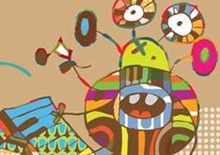
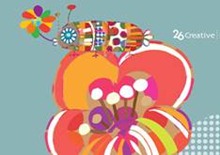
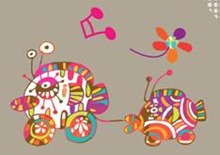
In this theme brilliant patchwork flowers bloom, brightly-colored goggle-eyed creatures play surreal musical instruments, and fish roll on wheels, towing smaller fish on wheels. “It’s like going into a colorful garden when you turn on the computer,” says Ms. Chang. “Flowing musical notes lead us into an adventure wonderland.”
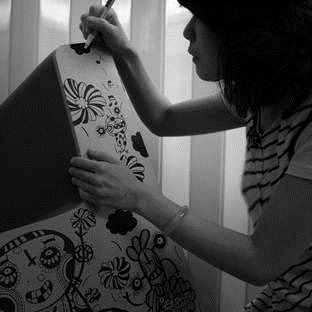
Where does she get her ideas? “Sometimes from real events or life experiences… or from the stories told by friends or strangers. It’s just like a glass of juice made by a juice extractor. Some paintings are the compression of emotions, and some are just meaningless daydreams.”
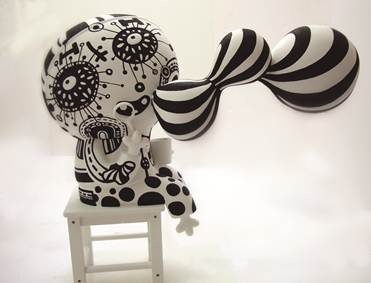
I asked about what kind of work Fan-Hsuan does, and discovered that in addition to working as a commercial graphic designer, she also owns and manages a café. One of her favorite ways to get into the creative mode is with a latte and some snacks, in a quiet place. “Most of the time, I use marker pens to draw the outline of the world of my imagination. Sometimes I paint it on the computer or just on the canvas.”
What launched Fan-Hsuan on her path as an artist? “My parents inspired me. They didn’t punish me when I got low scores in school. They encouraged me to do all the things I really want to do, to be the person I want to be, and live my own dreams.”
I asked her what she would recommend to others who might want to become artists – or if there was a piece of advice she wished someone had given her, when she was starting out. She replied “Keep holding on to your passion and hopes, and try to maintain a balance between reality and dreams. Be honest with yourself and be honest in your artwork – remember your own unique originality. Try to capture that first pure idea that was in your mind, and express it in your art. Sometimes people tell you ‘As you get older, you must get more pragmatic, or you won’t earn money!’ But also remember to keep going, don’t give up, and don’t forget who you are. My own goal for the future is to keep finding and recognizing myself, and discovering different ways of showing the vision I have inside and sharing it with the outside world.”
For more of Ms. Chang’s unique creative vision, see her blog. And for more Windows 7 themes, keep checking back on the Windows Personalization gallery.