Skip to main content Skip to main content Windows Experience Devices Windows Developer Microsoft Edge Windows Insider Microsoft 365 Microsoft 365 Azure Copilot Windows Surface XBOX Deals Small Business Support Windows Apps Outlook OneDrive Microsoft Teams OneNote Microsoft Edge Moving from Skype to Teams Computers Shop XBOX Accessories VR & mixed reality Certified Refurbished Trade-in for cash XBOX Game Pass Ultimate PC Game Pass XBOX games PC games Microsoft AI Microsoft Security Dynamics 365 Microsoft 365 for business Microsoft Power Platform Windows 365 Small Business Digital Sovereignty Azure Microsoft Developer Microsoft Learn Support for AI marketplace apps Microsoft Tech Community Microsoft Marketplace Software companies Visual Studio Microsoft Rewards Free downloads & security Education Gift cards Licensing Unlocked stories View Sitemap
September 10, 2014
PC

Bing Maps Preview app for Windows 8.1 updated with new public transportation experience


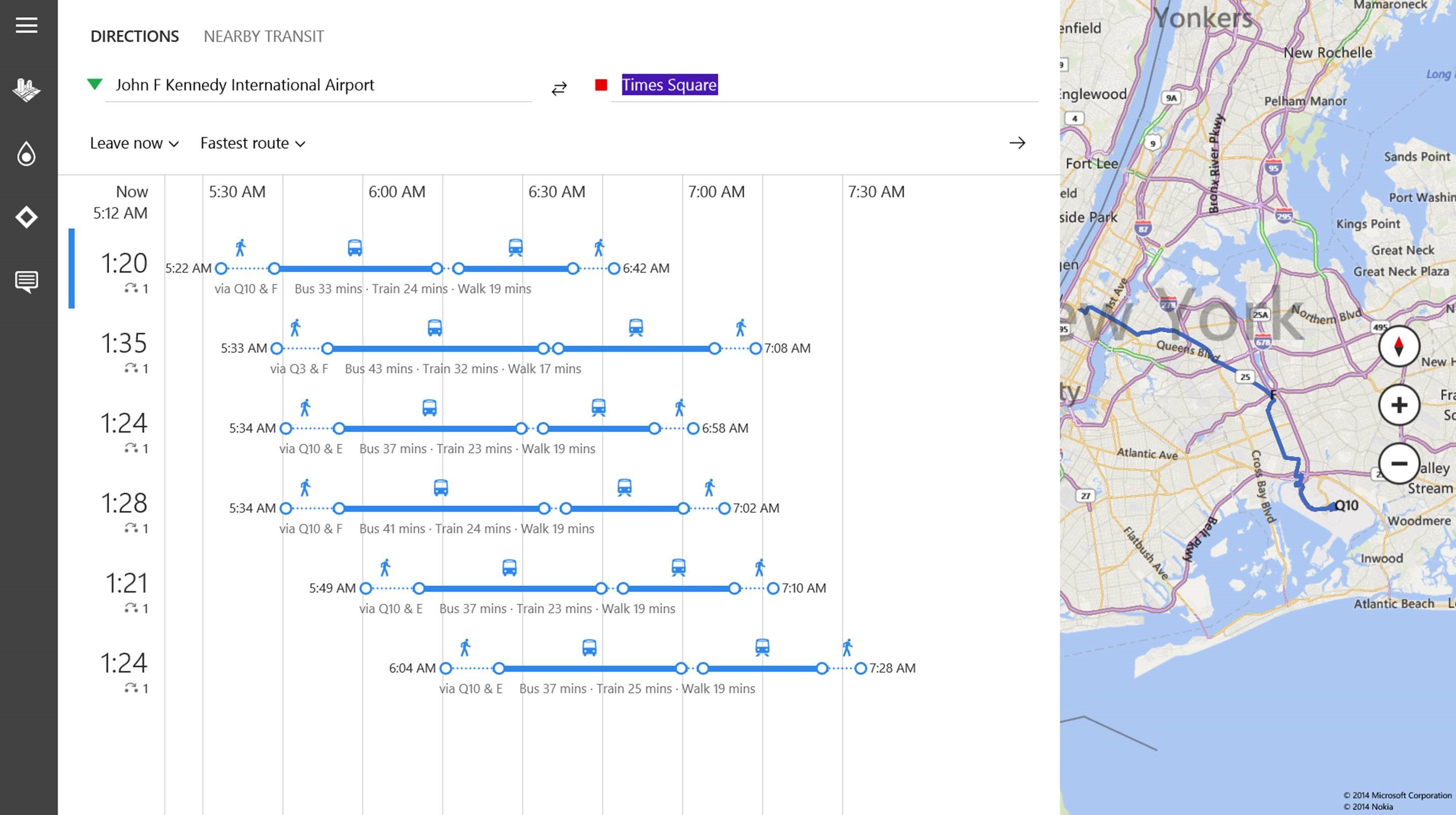
The Bing Maps Preview app for Windows 8.1 is receiving an update today that brings a new public transportation trial experience to help you plan your journey via bus, train or subway in just a few short clicks. This experience will be available in select cities in the U.S., Canada, and the U.K. The Bing Maps Preview app will now give you route options, estimated departure and arrival times overlaid on top of the apps beautiful maps experience. If the next bus you’re needing to catch is coming up in a couple of minutes, then app will let you know you better get moving.

New-1st-image-New-NEw

For more on how this new public transportation experience works in the Bing Maps Preview app for Windows 8.1, head on over and read this post from the Bing Blog.

Don’t have the Bing Maps Preview app installed? Download it here from the Windows Store. The Bing Maps Preview app also currently supports incredible 3D views of these cities. You can read my post here for more on the Bing Maps Preview app.

Your Privacy Choices Opt-Out Icon Your Privacy Choices
Consumer Health Privacy Sitemap Contact Microsoft Privacy Manage cookies Terms of use Trademarks Safety & eco Recycling About our ads