

Bear in mind that these haven’t yet been designed. They’re more like a check to see that we understand each other about what the app is supposed to do. Wireframes also to help us concentrate on functionality, rather than get sidetracked onto issues about visual appearance at too early a stage.
This is a model of the home screen, the category navigation screen and a profile screen (that may well not make it into the final cut). Don’t worry: we’re not proposing “grey” as the main colour of the app! The yellow boxes represent thumbnail images of the article. The red and orange circles represent some sign of how interesting other readers have found the post, as represented by page views, but maybe also comments, Tweets and Likes. It’s tricky – we can’t use all those things, but then again, they’re all important.
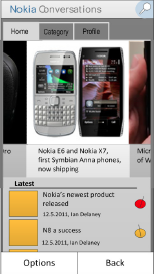
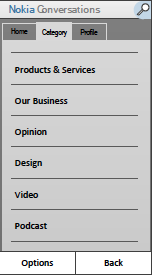

We wanted the home screen to carry both the featured articles you get in the carousel at the top of the page, and also a list of the latest posts. On later reflection, that might be asking too much of one screen – we’ll probably settle on one or the other, not both.
Here’s the main article screen.
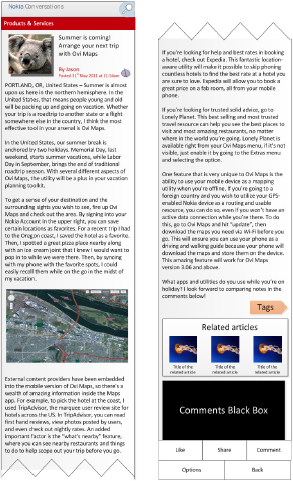
We wanted to make the article screen as uncluttered as possible, but also include lots of ways for readers to find new content. Again, we’ve maybe included too much here.
As we move to actually developing the app, we’ll probably find that we need to cut down on some features. But also add some if they’re highly requested by you. What’s missing from existing blog-reading apps, in your opinion?
image credit: josemanuelerre