

As always, we love how the community is helping. If you’re interested, please head over to head over to WinTS’s Github.
What’s new:
Full list of adjustments in the 3.1 release, WinTS’s Github has a full changelog.
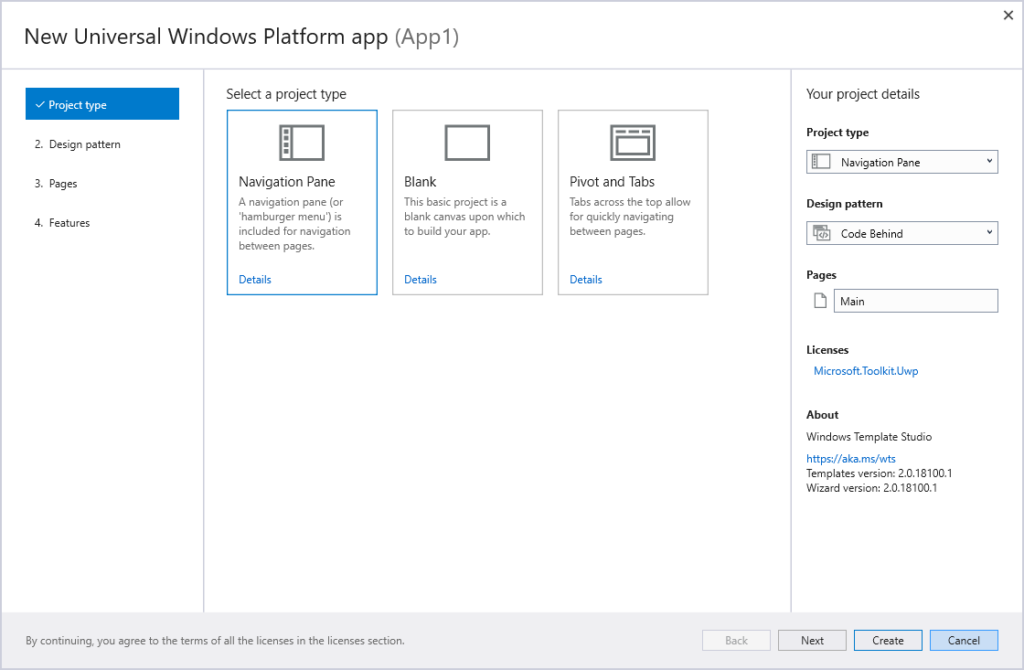
Included in this version:
- New MenuBar project type
- Added UI, Unit tests and WinAppDriver testing features
- Full VS2019 support
- Added link to report issue from WinTS Wizard
- Bug fixes
Dev platform updates:
- AppCenter.Analytics to 1.14.0
- AppCenter.Crashes to 1.14.0
- NETCore.UniversalWindowsPlatform to 6.2.8
- Toolkit.Uwp to 5.1.1
- UI.Xaml to 2.0.181018004
- UI.for.UniversalWindowsPlatform to 1.0.1.4
- NUnit3TestAdapter to 3.13.0
- NET.Test.Sdk to 16.1.0
- Store Engagement SDK to 10.1901.28001
How to get the update:
There are two paths to update to the newest build.
- Already installed: Visual Studio should auto update the extension. To force an update, Go to Tools->Extensions and Updates. Then go to Update expander on the left and you should see Windows Template Studio in there and click “Update.”
- Not installed: Head to https://aka.ms/wtsinstall, click “download” and double click the VSIX installer.
What else is cooking for next versions?
We love all the community support and participation. In addition, here are just a few of the things we are currently building out that will in future builds:
- Identity Login (ETA is v3.1.5 in a few weeks). We wanted to include this in 3.1 but it isn’t quite ready. We want to cross our T’s and dot our i’s.
- Azure features starting to be added
- Database support
With partnership with the community, we’ve will continue cranking out and iterating new features and functionality. We’re always looking for additional people to help out and if you’re interested, please head to our GitHub at https://aka.ms/wts. If you have an idea or feature request, please make the request!