

Garris Yeung is a graduating senior at UC Riverside majoring in Business Administration, concentrated in Marketing. He has been a member of the Microsoft UCrew for the past year. In the future, he hopes to attain a real estate license and an MBA degree to secure a management position within the Fortune 100 companies.
Garris Yeung is a participant in Microsoft’s UCrew program, and receives Microsoft software, hardware, and financial compensation as part of his participation in the program.
I had many jobs and internships throughout my college career, and I believe at one point I was employed by four different employers simultaneously (WHY DO I STILL HAVE A MASSIVE LOAN ON HAND?!) One particular job, however, had the most profound impact on me as well as the community that I was involved in. As a Microsoft Campus Representative based in University of California, Riverside, I was tapped to demonstrate the features that Windows 7 has to offer. My goal is to conduct hands-on demonstrations for the students, showing off innovative features such as Snap, Shake, Play To, Windows Live Photo Gallery, and much more. As a Microsoft fanatic ever since I first touched a PC in elementary school, I thought this job would be the easiest job ever, but I was wrong. It was even easier than I expected.
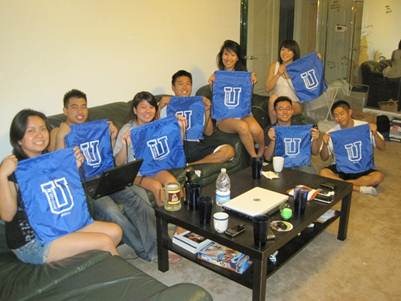
Through the experiences from XP to Vista, Microsoft listened to the opinions and concerns the users have, and integrated them into the Windows 7 OS. You wanted efficiency? You can now snap two different windows to create a dual-screen for maximized efficiency. You wanted connectivity? You can now play your media files on your 60” LED screen without the hassle of connecting wires. Are you paranoid about your ex-boyfriend installing spyware on your computer? Microsoft Security Essentials keeps your system and your files protected at all times. As I roam around campus demonstrating these features to the students, it did not take much explaining for them to grasp the advantages of Windows 7. The new features Microsoft has integrated into the Windows 7 OS simply sell themselves. The students on my campus were astonished by the benefits of Windows 7; it seems as if they enjoyed the hands-on trial more than the drawstring bag we gave out as a token of appreciation.
As I mentioned earlier and I cannot say enough, this job has truly been the most productive and rewarding job that I have ever had. I was delighted to have been able to serve as a representative for the Microsoft, the company that made it all happened. From here I would like to thank Microsoftand the students who patiently listened to me babble on and on about Windows 7 – I am sorry, but it is just that good.
Have questions about UCrew or Windows? Tweet them to me @kristinalibby.