Customize Your Listening Experience with iHeartRadio for Windows 10
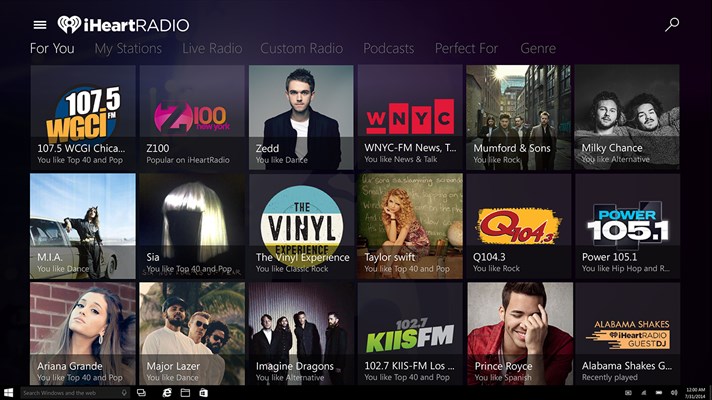
iHeartRadio brings you thousands of real radio stations covering Pop, Country, Hip-Hop, R&B, Alternative, Rock, Talk, News, Sports, Finance and Comedy all in one app. With the latest iHeartRadio app for Windows 10, you can enjoy a fresh user experience plus the ability to control the app using your voice with Cortana. You can say things like:
- Open iHeartRadio
- Launch iHeartRadio
- Play Z100 in iHeartRadio
- Play Taylor Swift in iHeartRadio
- Listen to Z100 in iHeartRadio
- Listen to Taylor Swift in iHeartRadio
- Search for Z100 in iHeartRadio
- Search for Taylor Swift in iHeartRadio
By doing this Cortana will open the iHeartRadio app for you and take you to the results of your search. You can also pin the app to your Start menu for Live Tile updates with what’s currently playing.
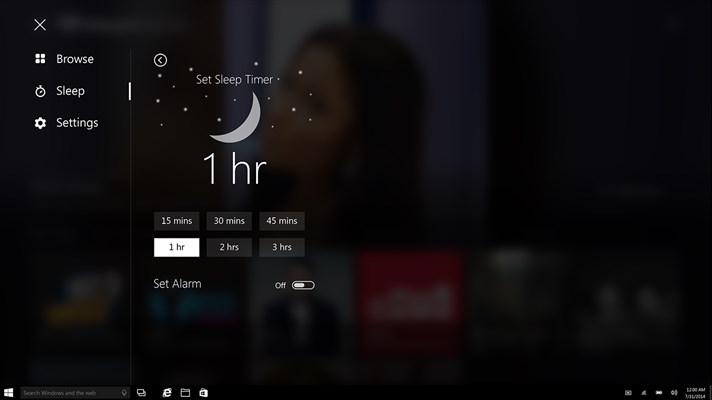
Set a Sleep timer for the app in the main menu
Personalize your music experience by creating custom music stations, even choose your favorite song or artist and iHeartRadio will create a station just for you from their library of 20 million songs and 800,000 artists. Take your favorite radio stations and music wherever you go with iHeartRadio for Windows 10!