Skip to main content Skip to main content Windows Experience Devices Windows Developer Microsoft Edge Windows Insider Microsoft 365 Microsoft 365 Azure Copilot Windows Surface Xbox Deals Small Business Support Windows Apps Outlook OneDrive Microsoft Teams OneNote Microsoft Edge Moving from Skype to Teams Computers Shop Xbox Accessories VR & mixed reality Certified Refurbished Trade-in for cash Xbox Game Pass Ultimate PC Game Pass Xbox games PC games Microsoft AI Microsoft Security Dynamics 365 Microsoft 365 for business Microsoft Power Platform Windows 365 Small Business Digital Sovereignty Azure Microsoft Developer Microsoft Learn Support for AI marketplace apps Microsoft Tech Community Microsoft Marketplace Marketplace Rewards Visual Studio Microsoft Rewards Free downloads & security Education Gift cards Licensing Unlocked stories View Sitemap

Windows 10 Tip: How Cortana can automatically remind you of your commitments

Written By published March 6, 2017

In case you missed it, a couple weeks ago we showed off a new Cortana feature all about reminders.


https://youtu.be/HuMSM1OO6AY

Now, our favorite digital personal assistant can automatically remind you to do things you mentioned in emails! Did you promise someone a report by 5 p.m.? Cortana* will remind you about it before your deadline.

Here’s how to enable this cool new feature:

Start by signing into Cortana with your Microsoft account. If you don’t already have an account, you can sign up here.
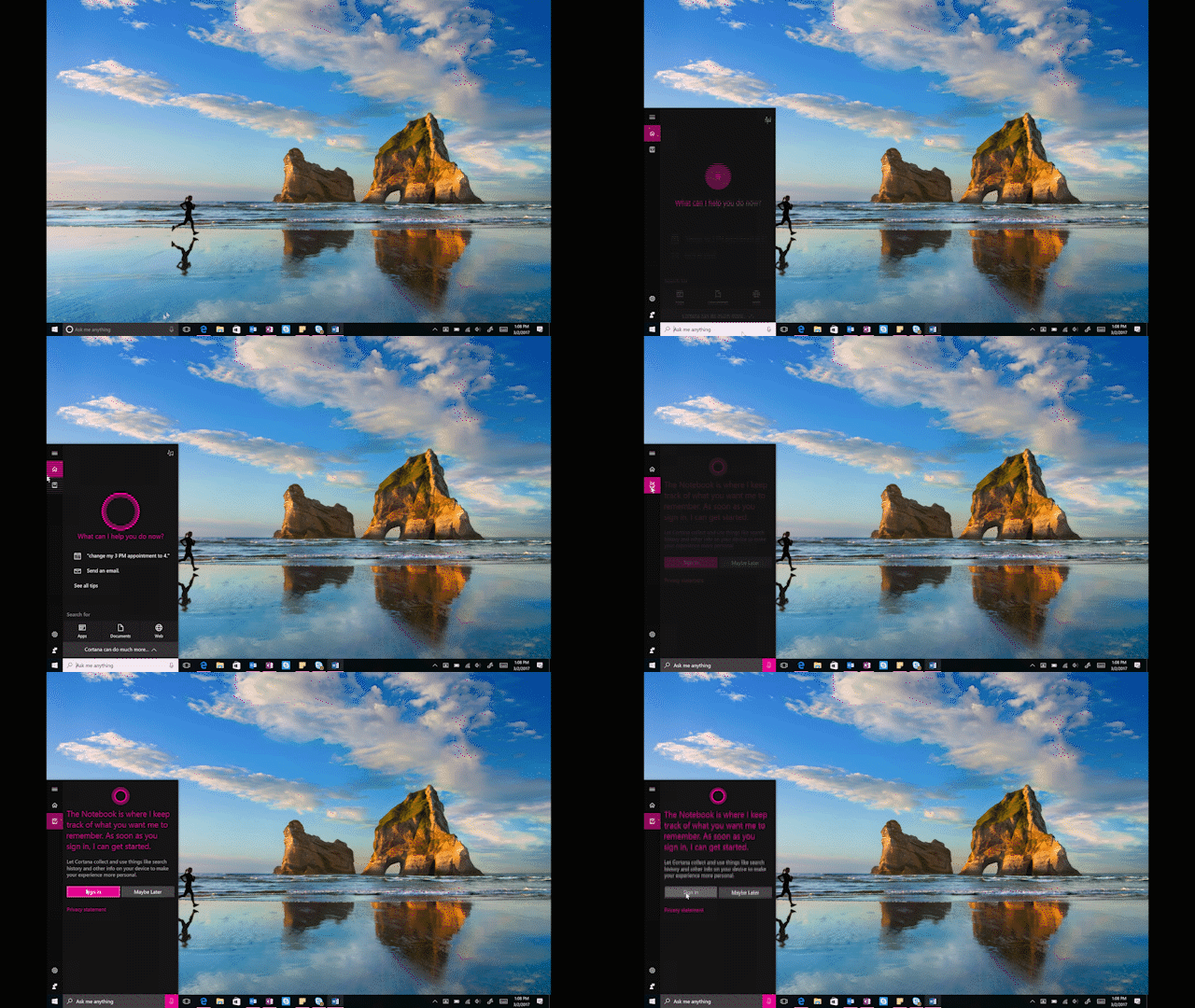
Windows 10 Tip: How Cortana can automatically remind you of your commitments

Go to Notebook, then Permissions and make sure the “Communications History” permission is checked.

Windows 10 Tip: How Cortana can automatically remind you of your commitments

Go back to Notebook and click Connected Services, then click “Office 365” and go through the prompts to add either your Outlook or Office 365 account, or both.
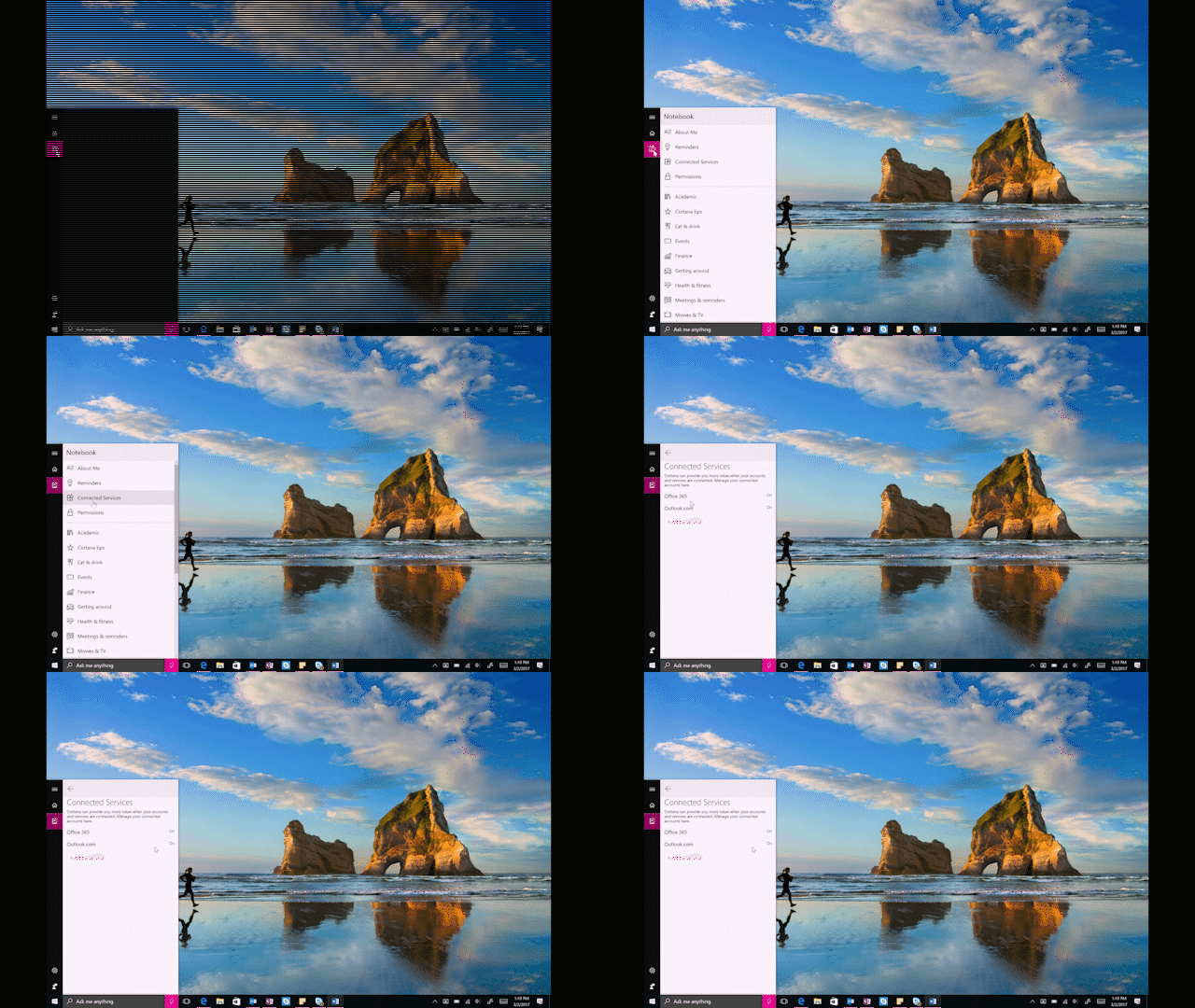
Windows 10 Tip: How Cortana can automatically remind you of your commitments

After that, it’s an easy as sending an email.

Head over here to learn how you can enable “Hey Cortana” and teach Cortana to recognize your voice!

*Cortana available in select markets; this feature available in US only

Your Privacy Choices Opt-Out Icon Your Privacy Choices
Consumer Health Privacy Sitemap Contact Microsoft Privacy Manage cookies Terms of use Trademarks Safety & eco Recycling About our ads