

Cortana on Lumia
Personal assistants are usually reserved for high-earning, well-heeled execs. Not anymore. One of the standout features added to the Windows Phone 8.1 update is Cortana, your very own digital PA.
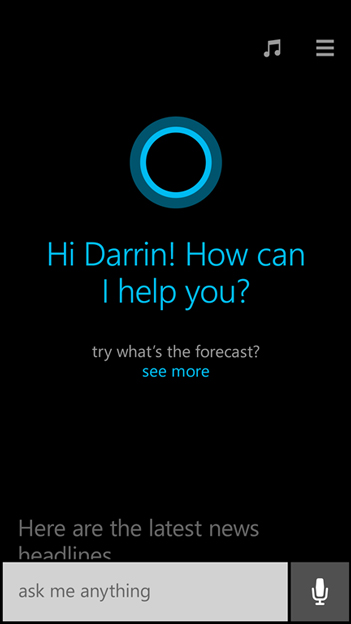
As we’ve already established in previous posts, Windows Phone 8.1 – and therefore Cortana – is coming to every Lumia smartphone running Windows Phone 8, including the Nokia Lumia 520, Lumia 1020, and Lumia 930.
Powered by Bing, Cortana has been designed to make your mobile life easier; sending an SMS, or phoning friend from your People Hub. However, it’s capable of much more.
Launch Cortana Home by tapping its Live Tile on your Start screen, or by pressing the search button on your device.
The first time you interact with Cortana, she (yes, Cortana is based on the female AI in the Halo gaming franchise) will try to get to know you by asking your name, as well as some things you’re interested in.
Once pleasantries have been exchanged, Cortana Home will display useful information tailored just for you.
This could be flight information taken from email confirmations, or up-to-the-minute traffic data based on your usual route to work.
You can ask Cortana to not disturb you during specified times. For the duration of these ‘quiet hours’ your phone will be switched to silent and Cortana will only grant access to the most important people from your ‘inner circle’.
We’ve all had moments where we’ve thought of our friends and needed to ask them something, only to completely forget the next time we see them. Cortana will help – just ask her to remind you to ask about Tommy’s vacation the next time you see him and she’ll oblige. Be sure to check out our location-based reminders article for more details.
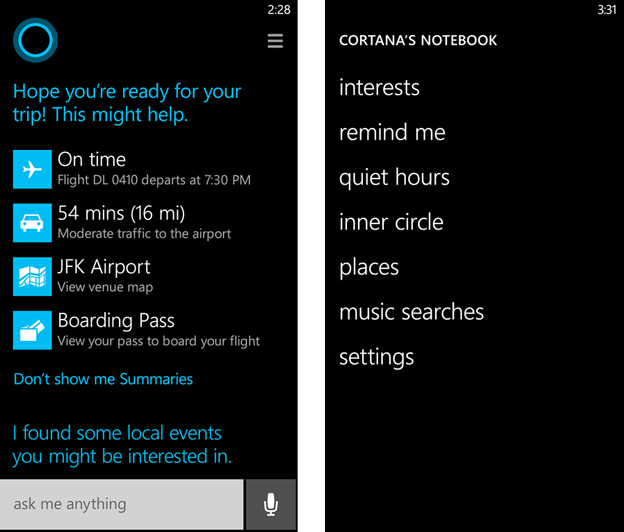
Cortana’s notebook is like your personal profile; it’s where she keeps all of your preferences and interests. It was developed with the help of real PAs to make the experience more accurate and efficient.
Above all, Cortana is loaded with personality that makes her seem almost lifelike. We can’t wait for you to try it.