

The Desktop Bridge allows you to call UWP APIs directly from your WinForms, WPF or VB application. You can use APIs such as Live tiles, notifications, App Services and many more!
Previously, calling UWP APIs from a converted app was a confusing process. You had to find and reference the right .dll or .winmd, and it often wasn’t obvious which one to choose.
For example, to use “await” on UWP types, you had to reference the System.Runtime.WindowsRuntime.dll (c:\Program Files (x86)\Reference Assemblies\Microsoft\Framework\.NETCore\v4.5\
System.Runtime.WindowsRuntime.dll), which was actually from Windows 8.1 and therefore only worked in conjunction with “facade\windows.winmd” (c:\Program Files (x86)\Windows Kits\10\UnionMetadata\Facade\Windows.WinMD).
[code]
AppServiceConnectionStatus status = await connection.OpenAsync();
[/code]
Confusing, right? The new way is much simpler – just include the latest UWPDesktop NuGet package to your project, and you’re ready to call any supported UWP API without needing additional references.
You have two options for installing the package:
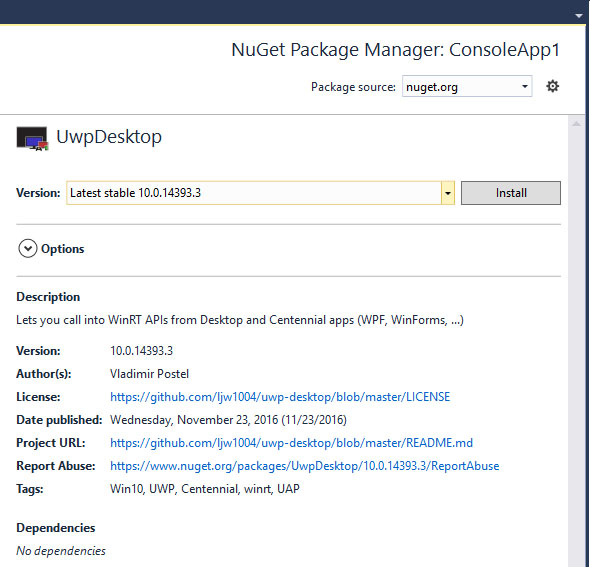
- In Visual Studio, right-click on your project, select “Manage NuGet Packages,” and search for and install the UWPDesktop package (as shown in the screenshot below):
- Use the Package Manager Console
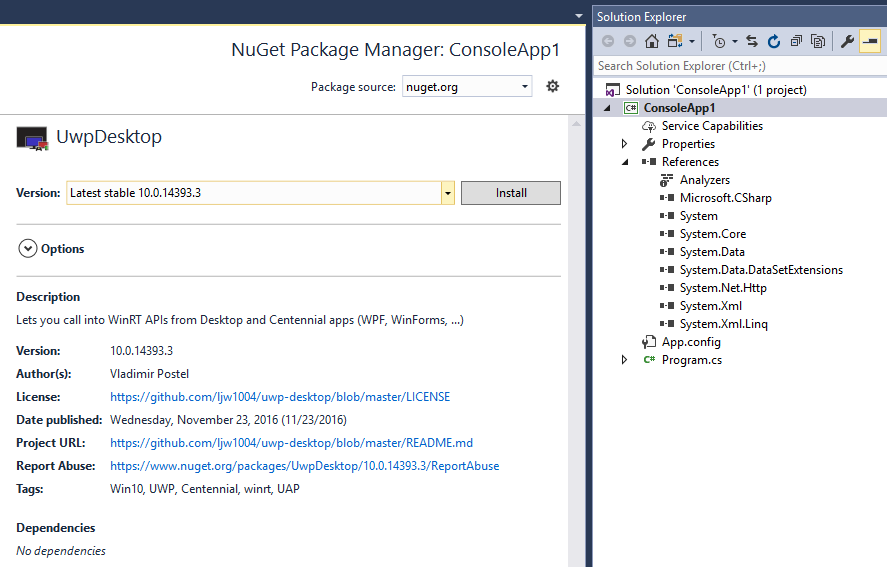

[code]
Install-Package UwpDesktop
[/code]
Warnings for unsupported UWP APIs
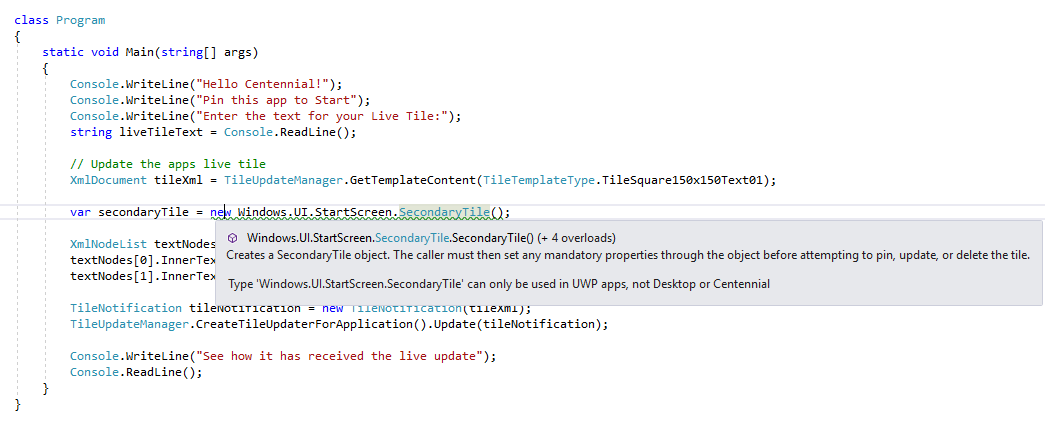
Not all modern APIs can be called directly from your desktop application; for example, you still can’t use XAML or SecondaryTile in your WinForms app. The UWPDesktop NuGet package makes your life easier by raising a warning if you try and call an unsupported API.
For more information and to learn more about the UWPDesktop NuGet package and Desktop Bridge, check out the resources below.