

A couple of days ago, my old wireless desktop set (mouse and keyboard) had its receiver die on me. So I had to go out and grab another wireless desktop set for my PC. Microsoft offers some great wireless desktop sets but I decided to go with Logitech’s Cordless Desktop S 510.
The Logitech Cordless Desktop S 510 is Certified for Windows Vista and has some great features:
- Fast 27 MHz wireless performance.
- Programmable F-Keys that can be set to open favorite applications, websites, or files.
- One-Touch Controls that let you access music, video, volume, email, and the Internet.
- Power Management lets you go longer with a low-battery light and auto-off.
- Tilt Wheel plus Zoom allows you to go side to side or in and out on photos, websites or even spreadsheets.
I took some Unboxing shots to share.
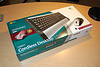
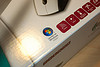
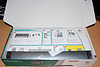
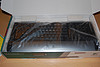
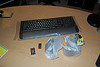
The design of the keyboard is light, thin and simple which is really great.
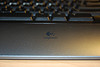
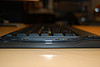
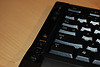
I see a lot of keyboards with their One-Touch Controls on the top of the keyboard – the S 510 keyboard has the One-Touch Controls on the sides. Volume (music) controls are on the right and on the left is the zoom, internet and sleep/hibernate controls.

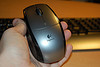
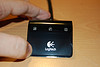
The mouse is pretty basic but has the great Tilt Wheel plus Zoom feature that lets me scroll side-to-side instead of just up and down. This is really useful. The Wireless Receiver for the S 510 is made in semi-transparent plastic giving a really interesting effect as you can see inside to the circuit board.
Overall, I’m really happy with my decision to go with Logitech’s Cordless Desktop S 510. Logitech also has a really neat website for their Certified for Windows Vista products worth checking out.