Skip to main content Skip to main content Windows Experience Devices Windows Developer Microsoft Edge Windows Insider Microsoft 365 Microsoft 365 Azure Copilot Windows Surface Xbox Deals Small Business Support Windows Apps Outlook OneDrive Microsoft Teams OneNote Microsoft Edge Moving from Skype to Teams Computers Shop Xbox Accessories VR & mixed reality Certified Refurbished Trade-in for cash Xbox Game Pass Ultimate PC Game Pass Xbox games PC games Microsoft AI Microsoft Security Dynamics 365 Microsoft 365 for business Microsoft Power Platform Windows 365 Small Business Digital Sovereignty Azure Microsoft Developer Microsoft Learn Support for AI marketplace apps Microsoft Tech Community Microsoft Marketplace Software companies Visual Studio Microsoft Rewards Free downloads & security Education Gift cards Licensing Unlocked stories View Sitemap
August 23, 2011
PC

One minute a day to pick up daily Windows tips


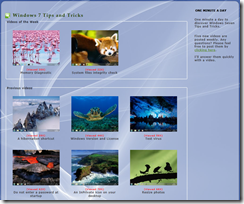
I’ve said before how it’s great to get to work with enthusiastic people who know tons about Windows. Recently I heard about one of those people sharing some great tips with everyone else in a really clever way.  Michel Martin has created a video series of Windows 7 tips and tricks he calls “One minute a day”. He’s been publishing five videos a week and not surprisingly they are each about one minute long.

His tips run from the very basic, to things only a real geek could appreciate. After all, who among us wouldn’t appreciate a desktop shortcut to hibernate our system? While not every one of these tips is brand new I find I’m more likely to discover new ones and give them a try in this format as sometimes all I’ve got is about a minute.
image

Michel has helpfully posted the steps for each of these tips in the ‘How To’ section of the Windows Experts Community wiki.

If you or someone you know is doing something unique to spread the word on tweaking or personalizing Windows get in touch with me here or drop me a note in the Windows Experts Community and let me know about it.

Your Privacy Choices Opt-Out Icon Your Privacy Choices
Consumer Health Privacy Sitemap Contact Microsoft Privacy Manage cookies Terms of use Trademarks Safety & eco Recycling About our ads