

Microsoft announces passwordless future – available across Microsoft Edge and Microsoft 365 apps
I don’t know a single person who enjoys managing passwords. Given how much of my life is spent online and in various apps, keeping track of it all, ensuring they’re unique and regularly updated – it can quickly become overwhelming for me – and I’m a techie!
Which is why I’m so excited about today’s announcement that now you can remove the password from your Microsoft account and sign in using passwordless methods like Windows Hello, the Microsoft Authenticator mobile app or a verification code sent to your phone or email. This feature will help to protect your Microsoft account from identity attacks like phishing while providing even easier access to the best apps and services like Microsoft 365, Microsoft Teams, Outlook, OneDrive, Family Safety, Microsoft Edge and more. It’s so easy to go passwordless, I encourage everyone check out Vasu’s blog post for more details on how to get started today.
We also know that everyone is on their own passwordless journey, and the world isn’t entirely password-less yet. Which is why we’ve built tools that meet you where you are today and help keep your current passwords secure for other sites. In Microsoft Edge, for example, we have a comprehensive password management system with Password Monitor, password generator and the password health dashboard1.
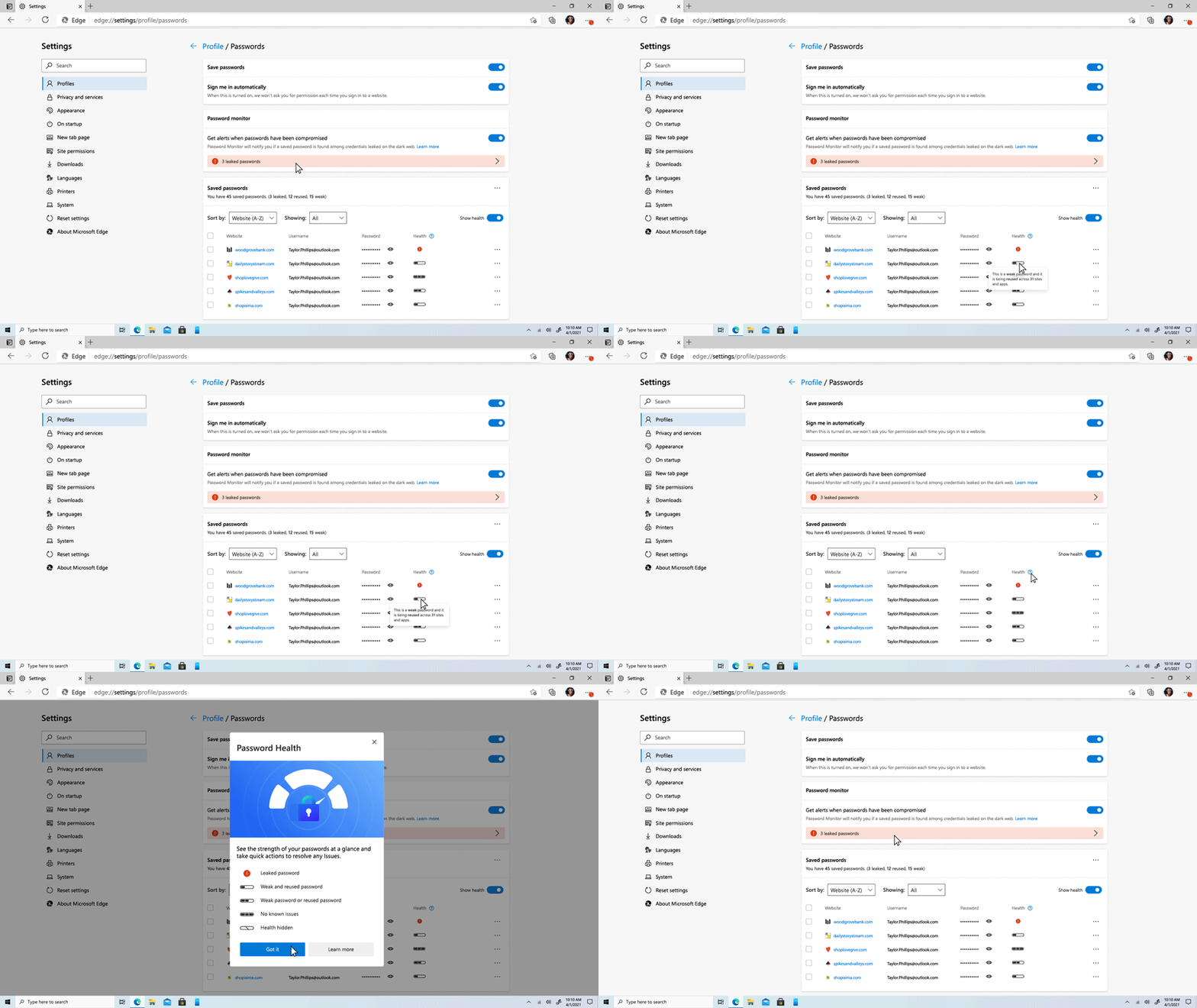
Now you can easily set Microsoft Edge to monitor the passwords you use across the web and alert you if one has been compromised, prompting you to update your password. Password generator helps you automatically create strong passwords when you create new accounts online – no more reusing the same password across sites! And the dashboard gives you one place to view your passwords across sites, letting you know if they’re strong enough and whether they’ve been used on other sites. You can also access your Microsoft Edge passwords on the go from the Microsoft Authenticator app when you sign in with your Microsoft account. And all of this is done with your privacy in mind – the underlying technology helps ensure that neither Microsoft nor any other party can learn your passwords while they’re being monitored in Microsoft Edge. If you’re not already using Microsoft Edge, you can learn more here.
Whether you need help managing your passwords more securely and easily or you’re going passwordless across all of your Microsoft apps and services, we have the tools to help keep you and your family safer across your digital world. We look forward to sharing more with you as we continue on the passwordless journey.
1 Password Monitor, password generator and the password health dashboard are available on the latest version of Microsoft Edge. Must be signed into a Microsoft account.