

For the next few releases, we are doing smaller updates to add in new pages and fixes. The reason being is we are working toward multi-project solution support for 3.0 and adjusting our templates to support that. This is a large sum of work but want to be sure we are still improving where we can now.
As always, we love how the community is helping. If you’re interested, please head over to head over to WTS’s Github.
What’s new:
For the full list of adjustments in the 2.2 release, WTS’s Github has a full changelog.
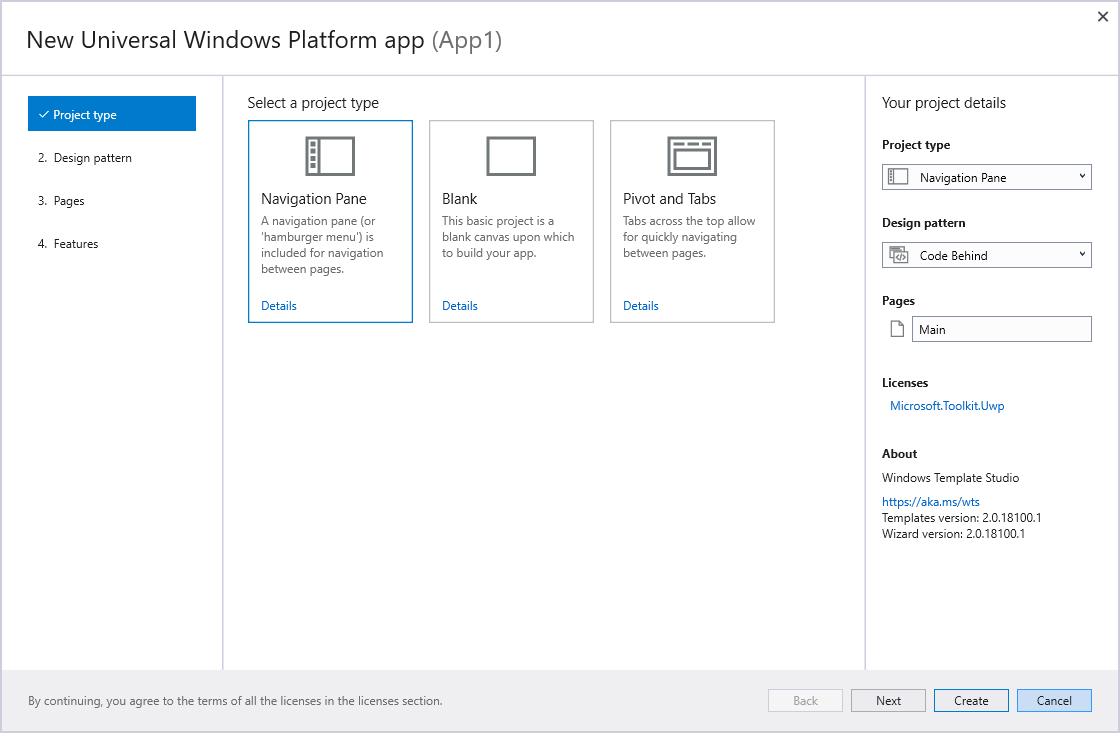
Included in this version:
- 3D Launcher feature
- Wizard enhancements
- Improved documentation
- Improved testing
- Bug fixes
Dev platform updates:
- Updated Microsoft.NETCore.UniversalWindowsPlatform to 6.15
- Updated Newtonsoft.Json to 11.0.2
- Updated Microsoft.Toolkit.Uwp, Microsoft.Toolkit.Uwp.Notifications and Microsoft.Toolkit.Uwp.UI.Controls to 3.0.0
- Update Telerik.UI.for.UniversalWindowsPlatform to 1.0.1
How to get the update:
There are two paths to update to the newest build.
- Already installed: Visual Studio should auto update the extension. To force an update, Go to Tools->Extensions and Updates. Then go to Update expander on the left and you should see Windows Template Studio in there and click “Update.”
- Not installed: Head to https://aka.ms/wtsinstall, click “download” and double click the VSIX installer.
What else is cooking for next versions?
We love all the community support and participation. In addition, here are just a few of the things we are currently building out that will be in future builds:
- Menubar navigation pattern template
- WinUI Library nuget package integration
- Continued refinement with Fluent Design in the templates
- Work for supporting multiple projects in a single solution
- Ink templates
- User Activity APIs for Timeline support
- Improved Right-click->add support for existing projects
With partnership with the community, we will continue cranking out and iterating new features and functionality. We’re always looking for additional people to help out and if you’re interested, please head to our GitHub at https://aka.ms/wts. If you have an idea or feature request, please make the request!